
I needed to use my Logitech Brio webcam for an important meeting the other day, and the app was continuously in a ‘loading’ state. Activity monitor shows the app as ‘not responding’. Fine, I’ll just close the process and re-open. Nope, it just keeps ‘loading’. So I close the process again and it reopens almost immediately.
Okay, I need to uninstall it and install a patched version from Logitech, available here. But to uninstall it, the process needs to be closed (the app can’t be open and in-use). But whenever I try to close the app, it just re-opens. Catch 22!
If this is happening to you, you can uninstall the app by opening Finder, navigate to Applications and find Logitech G Hub (or Options+) in the list. Right click (or secondary click/tap) and select ‘Show Package Contents’.
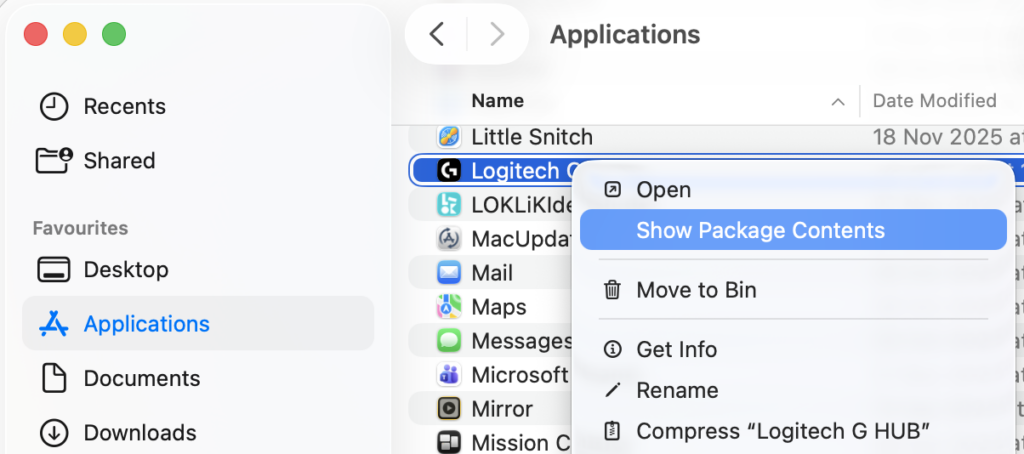
This will allow you to delete the files from the app directly. Delete the folder named ‘Contents’.

Now you should be able to install the patched version and you’re good to go. Apparently it was an issue with an expired certificate (d’oh!).